Company
Meet Omnium POS: the POS built on your order management system (OMS)
Johanna Fagerstedt · Published · 8 min read
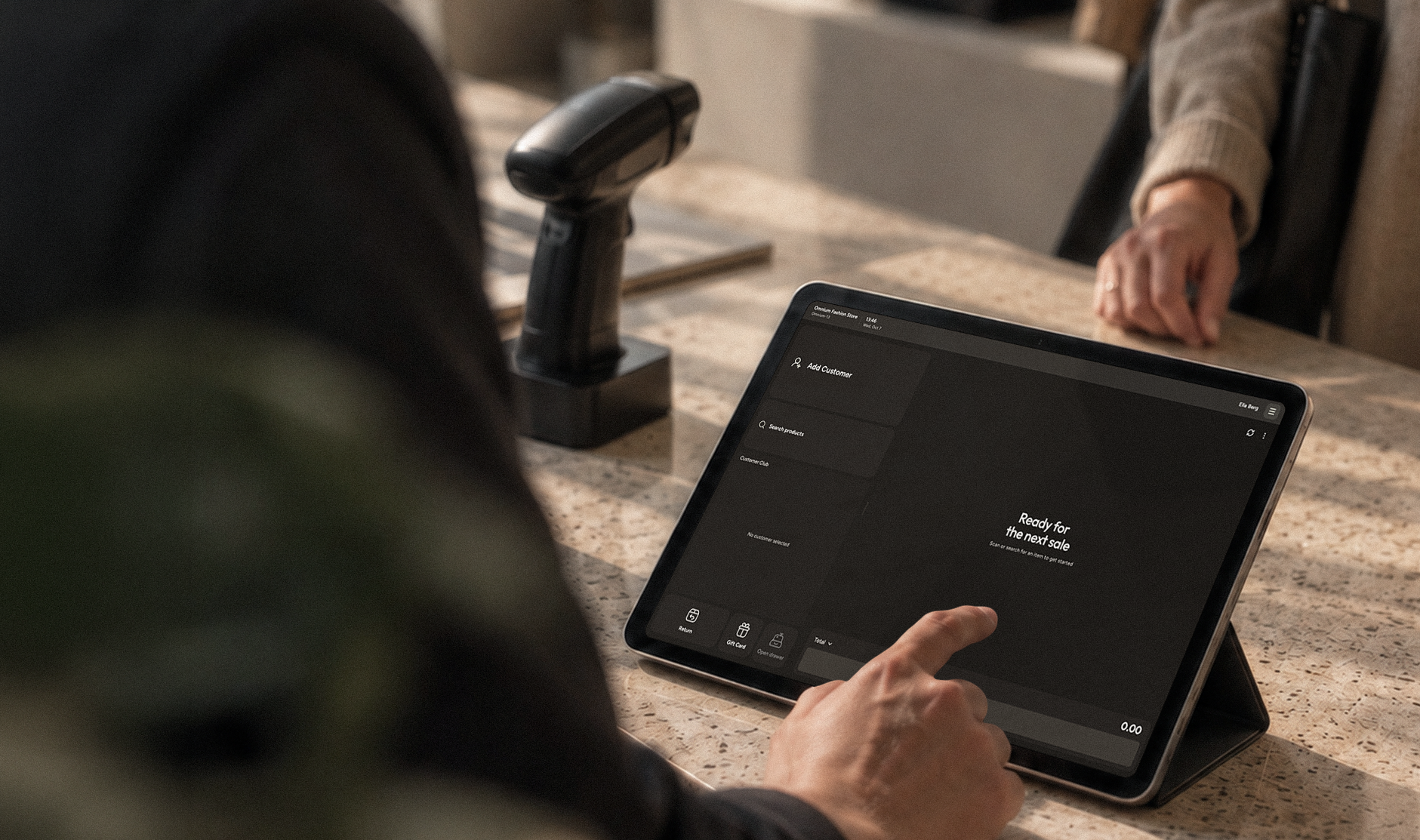
In October 2026, we launched something we're really proud of, and that complements our order management system perfectly: Omnium POS, our new point of sale (POS). And it's done differently. Omnium POS is built directly on Omnium's order management system (OMS), which means no integrations, no hassle setting things up and no syncing between systems. Your stores, webshop and customer service simply work from the same data, in real time.
At Insights by Omnium, our annual retail conference in Oslo, one question kept coming up: how does the new POS actually work with the order management system? So we hosted a webinar and showed it live. This post sums up what we covered, starting with the basics.
Retail doesn't happen in one channel anymore
Think about how you shop yourself. You might browse on your phone on the way to work, try something on in a store in the afternoon and ask customer service a question in the evening. To you, it's one shopping trip with one brand. For the retailer, it's often three systems that don't know about each other.
This way of shopping is now the norm. Retailers with physical stores account for 61% of all online sales today, up from 37% in 2019. The store and the webshop are no longer separate businesses. They are two sides of the same customer relationship.
Customers also expect more. They want to pick up online orders in store, return online purchases at the counter, get an item shipped from another store when their size is sold out, and meet staff who know what they looked at yesterday. This is omnichannel retail, and it only works when every channel sees the same information.
What is a POS, and what is an OMS?
Two systems sit at the heart of omnichannel retail.
A POS (point of sale) is the system store staff use to complete a sale. It's where products are scanned, discounts applied and payments taken.
An OMS (order management system) keeps track of every order, wherever it comes from, and of where your stock is. It also decides how each order is fulfilled: from the warehouse, from a store or as a pickup. Think of it as the control center behind all your sales channels.
In most retail setups, the POS and the OMS are separate systems, often from different vendors, connected through integrations.
Why should your POS be connected to your order management system?
When the POS and the OMS are separate, they constantly need to exchange information. Products, prices, stock levels, customers, orders and campaigns all have to be copied from one system to the other.
Every one of those syncs is a place where things can go wrong. Stock numbers fall out of date. Integrations break and need maintenance. A cart started online can't be finished in store, because the store system doesn't know it exists. The result is lost sales, frustrated customers and managers who can't fully trust their numbers.
As Eivind, Co-founder and CPO at Omnium, puts it:
“This is not an API problem, it's a math problem.”
More integrations between separate systems won't solve it. The simpler answer is to let the POS and the OMS work from the same data from the start. That's the idea behind Omnium POS.
What is Omnium POS?
Omnium has built order management for retailers since 2017, and leading Nordic retailers and brands run on the Omnium OMS today. Omnium POS is the newest part of Omnium Commerce, our platform for omnichannel retail:
- Omnium OMS: manages orders, stock and fulfillment across all channels
- E-commerce platform: the webshop, running on top of the OMS
- InStore app: gives store staff access to orders, stock and customers on the shop floor
- Omnium POS: the checkout, built into the InStore app
Because the POS runs inside the InStore app, store staff use one app for everything: selling, checking stock across the chain, looking up customer history, picking click and collect orders and receiving deliveries. It works on fixed POS stations and on handheld devices.
It's also built to be easy. At its simplest, the screen has three things: add a customer, find a product, pay. A seasonal worker can use it on their first shift. Each store can then add the features it needs, such as returns, rentals or stock in other stores, and leave out the rest. Layouts and access rights are set up once, centrally, and pushed out to every store.
Traditional POS vs Omnium POS
The key difference: a traditional POS is connected to the OMS. Omnium POS is built into it.
- Data: copied between two systems vs one shared set of data
- Shopping cart: separate in each channel vs one cart that follows the customer
- Orders: matched up afterwards vs one order from start to finish
- Stock: what's in this store vs live stock across the whole chain
What it looks like in practice
Here's how a POS built on the order management system plays out in everyday retail, both for the customer and for the store.
From online to store
For the customer: A customer is browsing the webshop on their lunch break and finds a jacket and a pair of trousers they like. They add both to the cart but aren't sure about the size, so they don't buy anything. On the way home, they stop by the store and tell the staff they looked at an outfit online earlier. Within seconds, the staff member has the same cart on the screen. The customer tries everything on, and the trousers are a bit tight, so they switch to the next size up. The staff member also suggests a scarf that goes with the jacket. The customer pays and walks out with the whole outfit.
For the store: Because the customer was logged in online, the cart is saved to their profile in Omnium, not stuck in a browser. The staff member finds the customer in the POS and sees the exact items and sizes from the webshop. There's no need to ask what they looked at or search for the products again. The POS shows live stock for every size, so switching the trousers takes one click in the same cart. That leaves time for what good store staff do best: giving advice, which here turned into an extra sale. Behind the scenes, it's one order in the OMS. The store gets credit for the sale, and stock updates in every channel at once.
From store to online
For the customer: In the store, the sweater a customer wants is sold out in their size. They also can't decide on the color of a second item. Instead of leaving empty-handed and starting over later, they ask the staff to save everything to their profile. That evening, they log in to the webshop and the cart is waiting. They change the color, ask customer service in the chat about a discount and see it appear straight in the cart. They choose home delivery, and they're done.
For the store: The POS shows stock for the whole chain, so the staff member can see the sweater is available in another store. Saving the cart keeps the sale alive, even when the customer walks out. Customer service works in the same live cart, so there are no discount codes or screenshots. When the order is placed, the OMS decides how to fulfill it: one item from the central warehouse and the sweater from the other store. One order, two shipments and the full history in one place.
The result: The customer chooses where to shop, and the experience is the same everywhere. For the retailer, nobody types anything twice and no sale is lost between channels.
One system, from webshop to checkout
Customers don't think in channels. They just want to shop where and how it suits them. With Omnium POS built directly on the order management system, your stores, webshop and customer service work as one: one cart, one order and one version of the truth.
Want to know more?
Talk to our sales team and we'll show you how Omnium POS and the Omnium OMS can work for your stores. We're also happy to share the webinar recording with you.
Already an Omnium customer? Contact your Customer Success Manager to get started.